

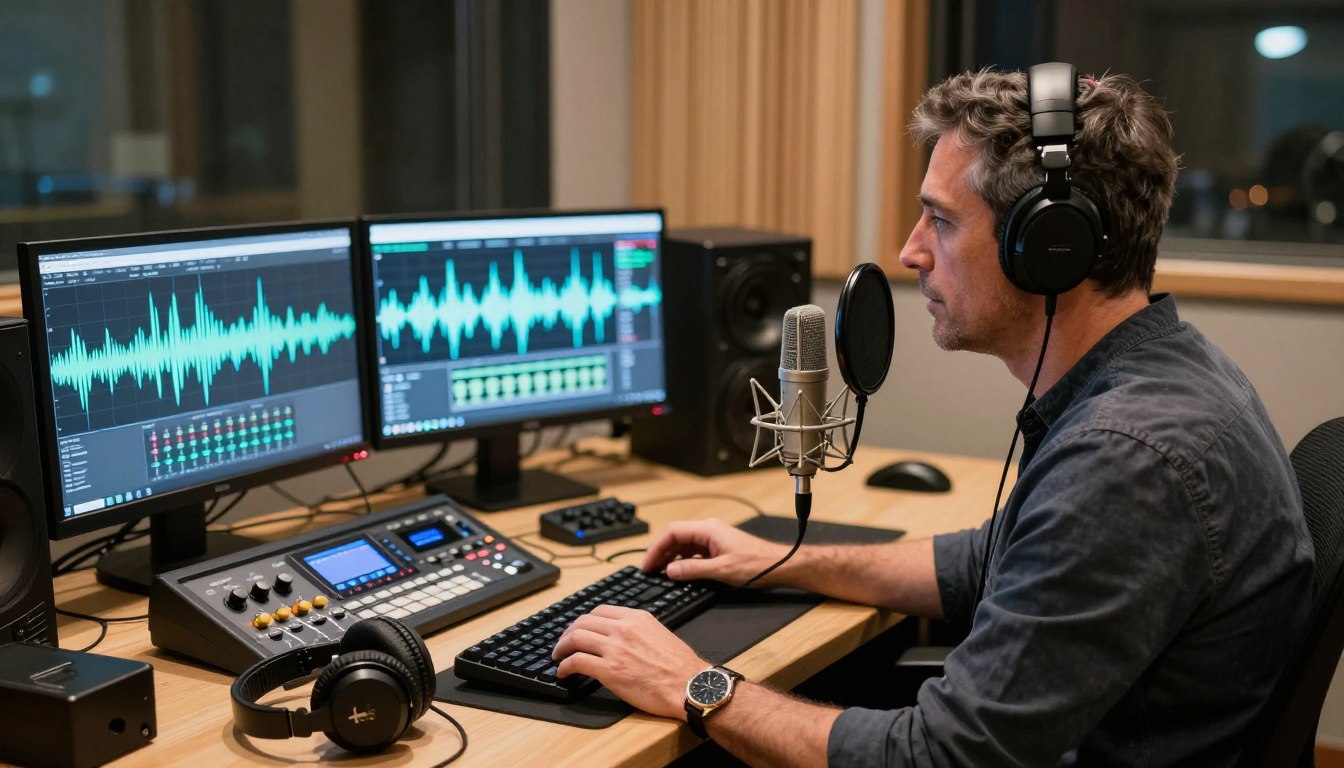
Realistic AI voice changers are available now, but no tool reproduces every human vocal nuance in every situation. That matters when you need a convincing sound for a game, a stream, a video, or a recorded project. A voice that works in a short clip may feel less natural in a long call, especially when you laugh or change emotion. This guide explains the practical differences between live voice effects, recorded performances, and reusable synthetic voices. It also covers what to consider before sharing your voice or choosing software. Your best choice depends on whether you need a live disguise, a recorded performance, or a reusable synthetic voice.
Key Takeaways
- Realistic altered voices are already available for live and recorded uses.
- Human-level emotion and subtle nuance remain difficult to reproduce.
- Gamers should check live microphone routing and app compatibility.
- Creators should compare editing controls and the finished audio.
- Cloned voices can keep scripted recordings consistent.
What Makes an AI Voice Sound Realistic?
A convincing result preserves the rhythm and texture of speech, not just a high or low pitch. Realism comes from natural timing, clear words, believable breathing, and a voice that fits the character or content. A strong tone can still sound artificial if every syllable lands evenly or every sentence ends the same way.
Realistic AI voices already exist, but quality varies by tool and task. Voice conversion changes vocal characteristics such as pitch, tone, timbre, and rhythm. The result needs to stay clear enough for listeners to understand, whether it carries a playful character voice or a restrained narration. A mismatch between voice and scene can make technically clean audio feel wrong.
Judge a changed voice by listening to full sentences, not a short sound effect.
An AI voice changer can mean live conversion or recorded voice generation. Voice AI is the broader category, covering technologies that recognize, generate, or transform speech. Voicemod and Murf are examples from the wider voice-changing category, though they serve different workflows. A live effect may respond to speech as you talk, while recorded audio gives you time to edit and compare takes.
Listen for whether consonants remain crisp and whether the voice keeps a believable pace through a complete thought. A deep pitch alone cannot make a voice persuasive if its rhythm sounds robotic. The best sample should also suit the intended listener: a comic game character needs a different tone than a calm video introduction.
A useful test is a sentence with varied sounds, a question, and a pause. Notice whether the changed voice keeps its tone across each part, rather than jumping between effects. Judge a changed voice by listening to full sentences, not a short sound effect.
How Does Voice Changing Differ From Voice Cloning?
A live voice changer transforms your speech as you talk, while voice cloning generates speech from a model built using recordings. The difference is whether the software changes your live input or creates new speech from a speaker model. Timing often decides which workflow is useful.
Live conversion uses your microphone; cloning uses recorded samples to build a reusable model. Both can produce convincing voices, but the output and setup are not interchangeable. A live character preset may change your sound without matching a particular person. A cloned voice aims to reproduce a speaker’s vocal identity in later generated audio.
Live transformation of your own voice
A real-time voice changer processes your words as they arrive from the microphone. It often applies a preset or general character voice, then sends the altered audio to a game, call, or stream. You still provide the performance, including the words, pace, and emotion. The software changes vocal qualities, but it does not write a new script for you.
That makes voice changers useful when you want to speak spontaneously. Your reaction can reach a teammate without waiting for a recorded file. The tradeoff is that the output depends on your live delivery and the software’s processing speed.
Generating speech from a cloned voice
Voice cloning builds a reusable model from audio samples, then generates speech later from text or other input. Instant voice cloning can use 10 seconds to a few minutes of audio. Professional voice cloning typically requires hours of audio and produces higher speaker similarity. A longer professional recording is a training input, not a live conversation.
The table separates the main approaches by input and output. The sample length matters because it shapes how much material the model can learn, while live conversion relies on the microphone signal at that moment.
| Method | Sample or input | Typical output |
|---|---|---|
| Real-time voice changing | Live microphone speech | Altered speech during conversation |
| Instant cloning | 10 seconds to a few minutes of audio | Generated speech from a quick model |
| Professional cloning | Typically hours of recorded audio | Generated speech with higher speaker similarity |
Choose a live changer when timing matters and a cloned voice when you need the same speaker sound across scripted recordings.
When Will AI Have Fully Realistic Voice Changer Technology?
You do not need to wait for a future release to try realistic voice changing, but today’s best results still have limits. Real-time voice changer technology can already work well in some settings, including gaming, streaming, and calls. Today is a practical answer, not a promise of flawless human equivalence or a date when every voice will sound perfect.
Realistic live voice changing is available now for some uses, while performance depends on the tool and setup. A real-time voice changer can transform your microphone input quickly enough for conversation, but its sound may vary by app, accent, and sentence. If you want a real-time AI voice changer online, check whether the specific service processes browser audio or depends on installed software.
Real-time AI voice changers today
A real-time voice changer can be useful for gaming when you want a character sound during active play. Streamers may also use voice effects while speaking to an audience, and callers can use supported tools in compatible applications. These workflows depend on the route from the microphone to the target app, not only on how impressive a preview sounds.
Some online voice changers handle uploaded or browser-based audio, while others rely on a desktop program and a virtual microphone. Those methods are not the same. Confirm that a tool supports the live workflow you plan to use before treating an online demo as proof it will work in a call.
What a benchmark can and cannot tell you
A blinded benchmark published January 22, 2026, included 3,220 voice pairs in English, French, Spanish, and German. Gradium ranked highest in live Elo in all four languages against ElevenLabs Flash, using a 10-second source sample. The result offers a measured comparison of those systems under the benchmark’s conditions.
The January 2026 benchmark does not establish perfect emotion, universal accent coverage, or equal results in every application. A strong score across four languages cannot guarantee the same quality for every voice, sentence, or computer. Testing in your own target app still matters because routing and processing can affect the experience.
Use benchmark results as one clue when comparing voice AI, not as a promise about every conversation. Treat a benchmark win as evidence of progress, not proof that every sentence will sound indistinguishable from a person.
Which Human Vocal Details Are Still Hard to Reproduce?
The hardest moments to fake are often the unscripted ones: a laugh, a breath, or a sudden change in feeling. Spontaneous speech shifts in ways that a preset may not follow naturally. Pitch, timing, and breathing patterns all affect whether an altered voice sounds human.
Emotional shifts, laughter, and complex pauses still lack reliable human-level nuance. A speaker can move from amusement to frustration within one sentence, then soften their voice at the end. Voice changing may preserve the words while missing that change in feeling. The mismatch can be subtle at first, then obvious when the speaker reacts unexpectedly.
Breaths and pauses also carry meaning. A small pause can signal hesitation, while a quick inhale can make a sentence feel urgent. If an effect removes those details or places them awkwardly, the voice may sound flat even when its pitch and tone seem believable.
Accent variation adds another challenge. A tool may handle one accent well and flatten another, or sound convincing in one language but less natural in a second. Noise and unclear microphone input make the result harder to judge because the effect has less clean speech to process.
A short sample can hide these problems. A voice may sound convincing for a greeting, then become less natural through a longer conversation or when the speaker laughs. Context matters too: a cheerful line in a tense scene can sound wrong even with clean pronunciation.
Listen for changes across the whole exchange, not only for the voice’s basic pitch. Include questions, pauses, an emotional shift, and a laugh in your sample. Listen to a longer sample that includes different emotions before deciding a voice is realistic enough for your use.
Which Voice Changer Tools Fit Different Uses?
Gamers who need a live mic effect should start with compatibility, while creators editing narration should start with the recording workflow. Fit matters more than a large effects menu. The best voice option is the one that works in your target application and sounds suitable in a real sample.
For live chat, compare microphone routing and app support; for recorded audio, compare editing controls and output quality. Voice changers can have large libraries, but a voice that cannot reach your game is not useful. Creators need a different set of options, such as recording, editing, and exporting speech for a video or other content.
Options for live play and voice chat
Voicemod, EaseUS VoiceWave, and MagicMic are desktop choices for people who want voice effects in games, calls, or streams. Their libraries differ in size and style. Ease of routing and the specific application you use can matter more than the number of available voices.
Voicemod’s library includes 200+ company-made voices and 300,000+ community voices. EaseUS VoiceWave offers 2,000+ voices and 150,000 sound options. MagicMic offers 600+ voice effects and 200+ AI voice filters. Those counts describe available choices, not a guarantee that every effect will suit your microphone or audience.
Options for recorded audio and character work
Murf and Voices AI also serve recorded or generated speech workflows. Murf focuses on recorded audio production, while Voices AI offers generated speech options. Neither product’s place in this category establishes an independent quality ranking; judge the sound in the context where you plan to use it.
The table gives each tool a practical point of comparison. A voice library can help when you want to explore character effects, while a recording workflow can be more useful when you are building scripted narration. Test the actual output rather than choosing by a catalog count alone.
| Tool | Strongest fit | Specific library or workflow detail |
|---|---|---|
| Voicemod | Live play and voice chat | 200+ company-made voices and 300,000+ community voices |
| EaseUS VoiceWave | Live microphone effects | 2,000+ voices and 150,000 sound options |
| MagicMic | Live voice effects | 600+ voice effects and 200+ AI voice filters |
| Murf | Recorded narration | Voiceover workflow for recorded audio |
For games and calls, check whether the tool can route audio into the exact app you use. For narration, listen to a full sentence after editing, not just a preview button. Test the exact voice and application you plan to use before settling on any tool.
How Do You Set Up a Real-Time Voice Changer on a PC?
A desktop voice changer reaches a game or call by appearing as a microphone input the app can select. Routing sends your processed voice to the application instead of sending only the raw microphone signal. Install the software, then check the input setting in both the changer and the app.
Select the changer’s virtual microphone inside the game or call application. Voicemod installs a virtual microphone that users select as an application’s input device. EaseUS VoiceWave’s virtual audio driver works with microphone-based apps, including games, streaming software, and online meetings.
Route your microphone through the software
Use these five actions to send processed audio where you need it:
- Install the voice changer on your PC and complete its driver setup.
- Select your physical microphone inside the changer as its sound input.
- Choose a voice effect and speak to confirm the preview is processed.
- Select the changer’s virtual microphone as the input in the target app.
- Make a short test recording or call and listen to the result.
Check the game or call input
Fortnite’s voice-chat input setting can be set to “Voicemod Virtual Microphone.” That setting directs the game to the altered audio route. Other applications may use different names, so look for the virtual device associated with your installed software.
Choosing the processed input in the changer alone does not guarantee that the game or meeting app is using it. The changer can be set correctly while Discord, a game, or a meeting tool still listens to the physical microphone. Verify the input in both places before assuming the effect failed.
If you use a stream, the audio route may also need to reach OBS or another capture application. A test recording can reveal whether the stream captures the processed voice or only the original microphone. Keep the test brief and listen through the same headphones or speakers you normally use.
If the app still hears your unprocessed mic, recheck its selected input device before changing the voice settings.
Can You Use a Realistic Voice Changer on Android?
Android voice-changing apps can create or process audio, but not every app can transform a voice inside another live call. Mobile tools often focus on recorded clips, while live routing depends on the app’s design and any required pairing hardware.
A recorded voice message is not proof that an app changes live microphone audio in another application. If you want a real-time voice changer for Android, confirm that the exact app supports the call or game you have in mind. Features listed for recording, text-to-speech, or voice cloning may work outside a live conversation.
What mobile apps can do
Voicemod’s Google Play listing, updated October 27, 2026, describes recorded voice messages with 200+ voices. Real-time voice changing in games or calls requires pairing the app with VMKey Pocket. That pairing detail is important if you expect the phone app alone to change a live conversation.
Voices AI’s Google Play listing, also updated October 27, 2026, lists over 300 text-to-speech voices and short-sample voice cloning. Those features support generated speech and voice creation, but they do not mean every voice can be used live inside a phone call. Voicemod’s listing details describe its specific mobile workflow.
Why live routing differs from a desktop
A desktop changer can install a virtual microphone that another app selects. Android apps do not all offer the same system-wide audio route, so a tool may need a separate device or a built-in call feature. This is why a clip effect can work even when an in-call effect does not.
An APK is an Android installation package. The file format alone does not establish whether an app is genuine, current, or capable of live voice changing. Check the developer and feature details in the official listing rather than judging an app by the word “APK” in its name.
Before installing, match the feature to the activity: recorded messages, generated speech, or live microphone audio. A voice effect that saves a clip may still require you to share that clip manually. Check whether the app changes live microphone audio or only recorded clips before installing it for a call.
Which Tools Work Best for Voiceovers and Scripted Audio?
Recorded voice tools fit best when you can review, revise, and export the result before publishing. Control is the main advantage: you can compare takes, adjust a script, and keep the final sound consistent across a video or podcast.
Use a recorded performance when you want your own delivery, and a cloned speaker model when you need repeatable generated speech. The first approach starts with audio you have already performed. The second starts with a reusable voice model that can produce new scripted lines.
Transforming a recorded performance
Recorded transformation works for videos, podcasts, and presentations when you already have a performance to edit. You can record with your own pace and expression, then apply a voice effect or revise the sound before exporting. That lets the original delivery carry pauses and emotion that a script alone cannot supply.
Murf provides a recorded voiceover workflow and lists 200+ voices, 20+ languages, and 15+ speaking styles. Its no-signup trial supports audio files under 3 minutes. Those counts describe the product’s available choices and trial limit, not a promise about a particular recording’s quality.
Reusing a cloned speaker voice
A reusable model can generate scripted narration, revisions, or consistent character speech without recording every line again. Instant cloning can use 10 seconds to a few minutes of sample audio. Professional cloning typically requires hours of audio and produces higher speaker similarity.
The shorter sample can make a voice model quickly, while a professional model uses a longer recording process. A longer professional recording is not a live conversation; it is material used to train a model for later generation. The distinction matters if you need spoken lines on demand.
The table compares when each output is made and the kind of work it suits. Live conversion begins with your speech in the moment. Recorded conversion and cloning create an exportable result you can review before placing it in a project.
| Input | When the output is made | Typical use |
|---|---|---|
| Live microphone speech | During the conversation | Game chat or live streaming |
| 10 seconds to a few minutes of sample audio | After instant model creation | Short scripted narration or revisions |
| Typically hours of recorded audio | After professional model training | Higher-similarity repeated speech |
Keep the original performance and compare the finished audio in the video or project where it will appear.
How Can You Test Real-Time Audio Quality Before Relying on It?
A voice effect can sound clear in a quiet preview and still fail once a game or stream is running. Latency is the processing delay between speaking and hearing the altered voice. Added latency above about 100 milliseconds can become audible and make natural turn-taking difficult.
Test the voice in the same application and workload you plan to use. Actual delay depends on the whole setup, including the changer, computer, audio route, and network conditions. A quiet preview cannot show whether a game, stream, or call will cause dropouts.
Check delay and intelligibility in a live session
Use this four-part check before relying on a real-time voice changer:
- Speak at your normal pace and listen for a delay between speaking and playback.
- Read a sentence with several consonants to check whether words stay clear.
- Test a pause and a laugh to hear whether the effect handles changes in delivery.
- Run your game or stream at the same time and watch for audio dropouts or frame-rate changes.
About 100 milliseconds of added latency can be noticeable, especially when you are taking turns in a fast conversation. The number is a practical warning point, not a guarantee that every person will notice the same delay. A quick response in a quiet room may feel different from a busy voice chat.
Test the full computer setup
Run the test in the application you intend to use. Discord, OBS, and in-game chat each depend on the selected microphone route, and the same changer can behave differently across them. Keep the game or stream active during the check instead of judging a paused preview.
Listen for whether consonants stay understandable and whether the voice returns cleanly after a pause. If the software competes with a game for system resources, you may hear dropouts or notice a frame-rate change. Test the workload you actually expect, not an idealized version of it.
Keep the changer only if the processed voice stays understandable and responsive under your real workload.
What Privacy and Legal Rules Apply to AI Voice Changing in the United States?
In the United States, AI voice cloning is not governed by one comprehensive federal statute, but existing laws can still apply to misuse. Purpose matters: a playful voice effect is different from using a voice to deceive someone or claim another person’s identity.
Fraud, identity misuse, and synthetic-voice robocalls can trigger legal restrictions. Enforcement can involve existing fraud, consumer protection, privacy, biometric-data, and identity-misuse laws. A tool itself does not make every use illegal, but it also does not make every use automatically permitted.
Consent and call rules
The FCC has clarified that AI-generated robocall voices are subject to the Telephone Consumer Protection Act. Most synthetic-voice calls require prior express consent. The robocall consent rule applies to covered calls, not to every voice-changing use in games, creative work, or ordinary conversation.
Using an altered voice in a call does not automatically make the call a robocall. The context and purpose matter, including whether a system places calls and whether the call falls under applicable rules. Fraud or identity abuse can raise separate concerns even outside robocall rules.
App privacy checks
Before using a voice app, look at what personal information it collects, whether it shares data, how it protects data in transit, and whether you can request deletion. A privacy label describes declared practices, so it should not be treated as an independent security audit.
Voicemod’s Google Play data-safety declaration says the app does not share data with third parties, may collect personal information, encrypts data in transit, and allows deletion requests. That is the app’s stated declaration, not a guarantee about every device, account, or security risk.
Use these four checks when reviewing an app:
- Read which personal information the app says it collects.
- Check whether the app declares data sharing with third parties.
- Look for a statement about encryption while data is in transit.
- Confirm whether the app provides a way to request data deletion.
For a high-stakes use or uncertain call campaign, confirm the rules with a qualified attorney or the relevant regulator.
What Voice Work Still Benefits From Human Performers?
AI can generate or transform speech, but a human performer still brings choices that a preset cannot reliably make on demand. Direction can change the meaning of a line through timing, emphasis, and the emotion behind a word.
Human performers remain valuable when a project depends on nuanced direction, improvisation, or an emotional performance. A voice actor can respond to creative feedback, make distinct character choices, and keep an emotion steady while the scene changes around them.
Performance, direction, and emotional nuance
A director might ask for a line to sound guarded rather than angry, or warm without becoming sentimental. Human performers can try those changes immediately and adjust again when the scene is revised. Their choices can also respond to another actor’s timing, which is hard to recreate with a fixed preset.
Improvisation is another human strength. A performer can add a small reaction, shift pace, or find a new character choice during a session. Synthetic speech may sound clear, yet still miss the context behind a sudden change in feeling or intention.
Where synthetic speech can assist creators
AI is more likely to support some production workflows than to eliminate the need for performers across the board. Repeatable narration, draft voiceovers, and consistent scripted lines can benefit from generated speech. Creators can use a draft to test pacing before arranging a full recording session.
Respeecher is a named voice-cloning product used in film and television. Murf provides tools for recorded voiceover workflows. They illustrate different production contexts, not a ranking of which tool sounds best. The right choice depends on whether the task needs repeatable output or a directed performance.
For simple narration, generated speech can speed up revisions when the script changes. For a character with a distinct emotional arc, the performer’s choices often carry as much meaning as the words. Choose a human performer when the project depends on nuanced direction, improvisation, or a distinctive emotional performance.
Can a Free or Online Voice Changer Sound Realistic?
A free voice changer can sound convincing, but a free tier does not guarantee every voice, workflow, or publishing right. Free tools may work well for a basic effect or a test clip, while access to specific voices, exports, or commercial use can be restricted.
Check live support, voice availability, and usage rights before building a project around a free output. Voicemod’s free version offers a rotating set of voice options. Clownfish Voice Changer is free and installs at system level, which suits a different kind of desktop setup.
A browser-based or online tool may process audio you upload instead of routing live microphone audio. That distinction matters if you want an effect during a call. Confirm the tool’s mode before assuming a web page will work as a real-time voice changer.
ElevenLabs’ free tier provides 10,000 credits per month, with no commercial license and no voice cloning. ElevenLabs Starter costs $6 per month for instant cloning, while Creator costs $22 per month for professional cloning. Those prices and features are tied to the named plans, not to every free voice app.
A free plan can help you test a sound, but it does not automatically grant permission to publish the result commercially.
Compare the workflow and the plan terms before using generated voices in videos or other content. Run through these three checks:
- Does the tool support live microphone input, or only uploaded and recorded audio?
- Is the specific voice you want available on your chosen plan?
- Do the usage rights cover the way you plan to publish the output?
Before using a free output in monetized work, verify the plan’s license and the limits that apply to that specific file.
Conclusion
AI voice changing is already realistic enough for many practical and creative uses, but not flawless in every situation. Strong voices can handle live play, recorded narration, and repeatable scripted speech. Emotion, laughter, and context still separate a convincing result from a fully human performance.
Your next step is simple: test a short sample in the exact app and workflow you intend to use. Listen for clear words, natural timing, and a sound that suits the project. Try one short, non-sensitive sample in your intended app and keep the tool only if its sound and timing meet your needs.
FAQ
Is there a realistic AI voice changer available?
Yes, realistic AI voice changers are available now for live conversion and recorded speech. Results depend on the app, the quality of your input, and the vocal details in each line. A preset may sound convincing during a short greeting but less natural through laughter or changing emotion. Test the kind of speech you expect to use, not only a sample effect.
Will AI eventually replace voice actors?
AI can assist with repeatable narration, draft voiceovers, and production tasks that need consistent scripted speech. It is less reliable when a project depends on improvisation, nuanced direction, or emotional choices that shift with a scene. Human performers can respond to feedback and adjust a line in context. AI may change how some work is made without removing the need for performers across the board.
Are voice changers illegal?
No, there is no blanket U.S. prohibition on voice changers. Existing laws can apply when someone uses a voice to commit fraud, misuse another person’s identity, or violate privacy rules. The FCC has clarified that AI-generated robocall voices fall under the Telephone Consumer Protection Act, and most synthetic-voice calls require prior express consent. That call rule is not a general ban on voice effects.
Is voicemod allowed in Fortnite?
Voicemod can be selected as Fortnite’s voice-chat input by choosing “Voicemod Virtual Microphone” in the game’s audio settings. That makes the altered audio available to the game’s chat system when the software is set up correctly. App compatibility does not authorize abusive behavior, impersonation, or harassment. Follow Fortnite’s rules and use a voice effect without misleading or targeting other players.
Is voicemod real?
Yes, Voicemod is real software that changes audio and routes it through a virtual microphone. It is not a real person speaking through your computer, and its character voices are effects rather than live performers. You select the virtual microphone in a supported application when you want that app to receive processed audio. The final result depends on the chosen effect and your microphone input.
Is Voicemod safe in 2026?
Voicemod’s Google Play data-safety declaration says it encrypts data in transit and allows deletion requests, but that declaration is not an independent security audit. It also says the app does not share data with third parties and may collect personal information. Safety depends on your device, account, and use, too. Review the app’s current privacy details and decide whether its stated data practices suit you.
What’s better, voice AI or Voicemod?
Voice AI is a broad category, while Voicemod is a specific tool suited to live chat and voice effects. For repeatable recorded speech, a text-to-speech or voice-cloning workflow may fit better than a live changer. The better choice depends on whether you need to alter your microphone during a conversation or create a scripted recording. Compare the workflow you need, not just the product names.
What is the safest voice changer?
There is no single safest voice changer for every user and purpose. Compare what each app collects, whether it shares data, whether it encrypts information in transit, and whether it offers deletion controls. Also consider whether the tool processes live audio or uploads recordings, since those workflows handle your voice differently. Choose an app whose stated practices fit the sensitivity of the audio you plan to use.
If you want to dig further into how to add business to apple maps, read our How to Add Business to Apple Maps guide.
If you want to dig further into what is business administration? your essenti, read our What is Business Administration? Your Essenti guide.
If you want to dig further into what time do crypto markets reset? decoding 2, read our What Time Do Crypto Markets Reset? Decoding 2 guide.